
Pokemon Arena 2D Save Code: Cloud Save Guide (2026)
How the 16-character Pokemon Arena 2D save code works: enable Cloud Save, copy the code, move progress from phone to PC, and fix a code that will not load.
Frequently Asked Questions
What is the Pokemon Arena 2D save code?
How do I get my save code in Pokemon Arena 2D?
How do I transfer my Pokemon Arena 2D save to another device?
Does Pokemon Arena 2D cloud save update automatically?
What does the save code back up?
Why does my save code say the code does not look right?
Can I recover a Pokemon Arena 2D save without the code?
Is it safe to share my Pokemon Arena 2D save code?
What Is the Pokemon Arena 2D Save Code?
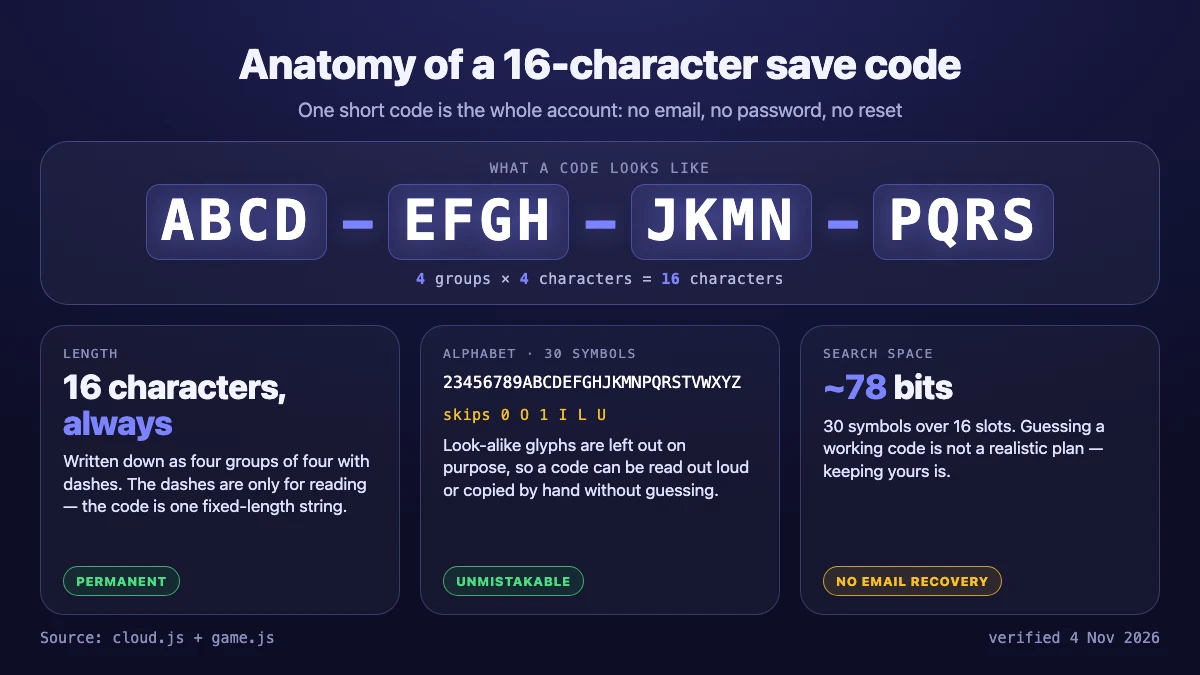
The Pokemon Arena 2D save code is a permanent 16-character code that the browser game gives you when you turn on Cloud Save. The game displays it as ABCD-EFGH-JKMN-PQRS: four groups of four characters, drawn from a 30-symbol alphabet that deliberately skips 0, O, 1, I, L and U so the code is hard to misread. Paste that code on another phone or PC and your ₽ wallet, Pokédex, team, shop and backdrop load there.
There is no account, no email and no password. That design choice is why the code exists at all: the game runs inside an itch.io iframe, and a plain database read or write works where a login popup often does not. The trade-off is stated in the game’s own source comments: keep the code safe, because there is no email recovery.
This page covers the browser game by eggieflip, the HTML5 Pokémon Arena embedded on the homepage. Two other games share the same name, and neither uses this save code: Empress: Pokémon 2D Arena is a downloadable Windows and Android game with its own save system, and Big Kid Nation’s Pokémon Arena 2D has no public build yet. Check the download and versions guide if you are not sure which one you are playing.
Where Do You Find the Cloud Save Card?
Open the game, tap Tap to start, and look at the main menu below the mode cards. The Cloud Save card is the one with a cloud glyph; it has two states:
- Off — it explains the backup, then offers Enable cloud save and Enter Code.
- On — it shows your code in four groups of four, plus Copy code, Enter Code and New Game, a reminder that the code is the only way to recover your progress, and a Last saved line such as “Last saved 3 min ago”.
The card reads your code from the browser’s own storage. Clear the site data and the local copy is gone, which is why the next section matters: copy the code out of the game the moment you create it.
How Do You Enable Cloud Save and Get Your Code?
- Open Pokemon Arena 2D Online and tap Tap to start.
- Scroll to the Cloud Save card and press Enable cloud save.
- The game generates the code, uploads your current progress, and shows the code on the card.
- Press Copy code. In some embedded contexts the clipboard is blocked; the game then selects the code text so you can copy it manually.
- Store the code outside the game — a password manager, a notes app, or a screenshot you keep.
One detail worth knowing: the game mints the code with the browser’s cryptographic random generator, so it is not tied to a name, an email or a device. Two players can hold the same-looking format and never collide, and the expected guessing effort is around 78 bits.
What Does the Save Code Actually Back Up?
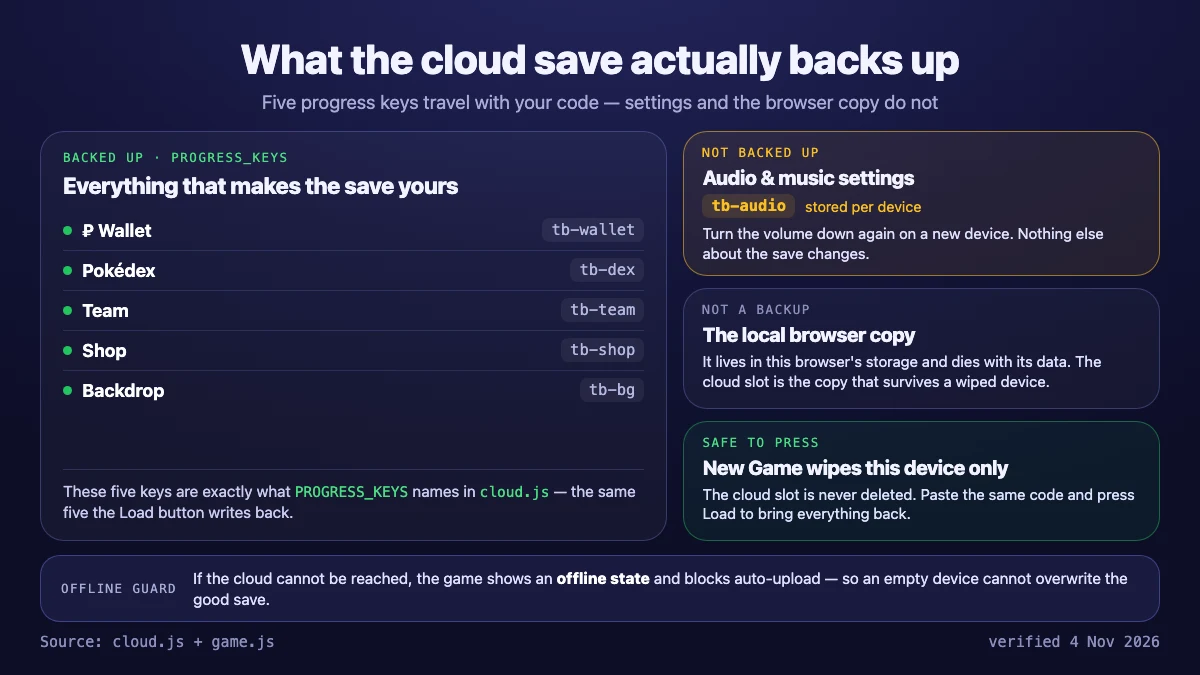
The cloud slot keeps the five progress keys the game considers real progress, not every setting in the browser:
| Backed up in the cloud slot | Stored only on this device |
|---|---|
| ₽ wallet balance | Music and audio settings |
| Pokédex entries | Browser-local copy of the save |
| Team and starter | — |
| Shop inventory | — |
| Equipped backdrop | — |
Two consequences follow from the game’s implementation. First, a restore replaces the whole progress set rather than merging into it: if the restored save has no equipped backdrop, the current one is cleared. Second, an empty browser never overwrites a good cloud save — the upload is skipped while the device has no real progress, which protects a wiped phone from erasing months of play.
How Do You Move Your Save to Another Phone or PC?
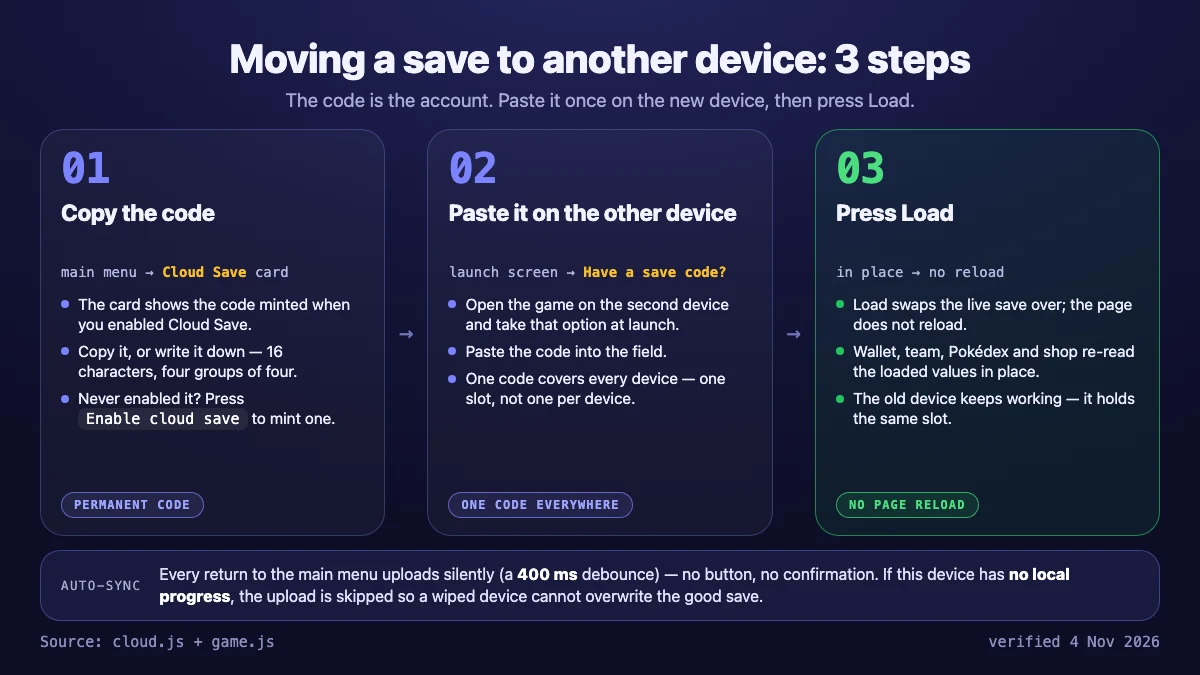
Moving progress is a three-step loop, and the game supports it in both directions: phone to PC and PC to phone.
- On the old device, copy the code from the Cloud Save card.
- On the new device, open the game. On a fresh browser the splash screen offers Have a save code? Enter it to load your progress; if that prompt does not appear, open Enter Code on the Cloud Save card.
- Paste the code and press Load.
The game applies the save in place — wallet, Pokédex, team, shop and backdrop are re-read without a page reload — so you land in the menu with your collection already there. If the code is active on the new device, it is also pulled automatically at launch when the cloud copy is newer than the local one.
Does Cloud Save Update Automatically?
Yes, on a checkpoint. Every time you return to the main menu, the game waits about 400 ms and then uploads your current progress. Three safeguards sit in front of that upload:
- No changes, no upload. The game compares a signature of the payload and skips identical saves.
- No progress, no upload. A browser with an empty save cannot overwrite the cloud slot, which is the wiped-device protection described above.
- Offline, retry later. If the request fails, nothing is lost locally and the next menu visit tries again.
So the practical rule is simple: finish a session, go back to the menu once, and wait for Last saved to appear. Closing the tab mid-battle may keep the newest win on this device only until the next menu visit.
Why Is Your Save Code Not Working?
The game shows three specific messages, and each one points at a different problem:
| What you see | What it means | What to do |
|---|---|---|
| “That code doesn’t look right — check for typos.” | After keeping only the 30 allowed characters, the input is not exactly 16 characters long. | Re-copy the code from the device that still shows it; do not retype it. Characters like 0, O, 1, I, L and U are stripped, so a handwritten code often fails here. |
| “No save found for that code.” | The format was valid but no cloud slot exists for that code. | Check you did not mix up two saves, and confirm Cloud Save was actually enabled and uploaded on the first device. |
| “Could not reach the cloud — check your connection.” | The lookup itself failed, usually offline, on a blocked network, or inside a strict iframe. | Reconnect and try again; local progress is untouched. |
There is also an offline card state: if the device holds a code but could not reach the cloud on a launch with empty storage, the game says You’re offline, keeps the code visible, and blocks automatic uploads so a blank device cannot overwrite the real save. Reopen the game when you are back online and it pulls the cloud copy.
Is It Safe to Share Your Save Code?
Treat the code like a password. The Firebase rule behind Cloud Save exposes one save per exact code, so anyone who reads the code can load that slot and upload over it. The code itself is not guessable — 16 characters from a 30-symbol alphabet is roughly 78 bits — but that only protects you from brute force, not from posting it in a Discord server or a comment thread.
Two honest limits are worth stating. The game has no way to delete a cloud slot from the menu: New Game wipes this device, unlinks the code and leaves the cloud copy intact, so you can load it again later. And if the code does leak, disabling Cloud Save on the device does not revoke the slot — it only stops this device from using it. The safest habit is to enable Cloud Save, store the code privately, and share screenshots of progress rather than the code.
Can You Back Up Progress Without Cloud Save?
Not really. The browser game keeps your progress in the browser’s local storage and offers no file export: the 16-character code is the only built-in backup mechanism. Without Cloud Save, clearing site data, changing browsers or resetting the phone wipes the save with no recovery path.
If you would rather not use the cloud, the playable alternative is to keep playing in the same browser profile and never clear its site data. That works, but it is one accident away from losing everything, which is why the in-game card pushes you to create a code once.
What Happens to Your Save After New Game or Clearing Browser Data?
- New Game clears this device’s progress and starter, unlinks the Cloud Save code, and re-renders the menu. The cloud slot is kept — paste the old code to bring the progress back.
- Clearing site data removes the local save and the stored code. If you have the code, a new launch restores the cloud copy. If you do not, the slot is unreachable.
- Playing offline on a wiped device is guarded: while the device has a code but no progress, the game prefers the cloud copy and refuses to auto-upload until a pull succeeds.
- Four-letter room codes are a different system. Those connect a 1v1 duel and expire with the lobby; they cannot restore a save. See the multiplayer and duel modes guide if you were looking for those.
How Does This Fit With Codes and Free Coins?
Pokemon Arena 2D has no promotional coupon list, so the save code is the only long code in the game. The other code box players ask about is the four-letter room code for friend duels. If you arrived here looking for free rewards, the honest answer is in the codes and Cloud Save overview: free ₽ comes from Arena wins, Safari duplicates and Game Corner slots, not from redeem codes.
Worth reading next: the beginner how-to-play guide for the draft and Special basics, controls and mechanics for the keyboard and touch layout, play on Android and iPhone for the mobile flow, and the FAQ for short answers about all three games.
Sources and Verification
Verified on 4 November 2026 against the live HTML5 build served from html-classic.itch.zone/html/19290007/, specifically js/cloud.js (code format, alphabet, upload and restore logic), js/game.js (Cloud Save card, splash prompt and New Game flow) and js/wallet.js (wallet state). Mechanics can change when the developer ships a new build; if the card looks different from this page, the game is the source of truth and we will re-check on the next pass.
Related Articles
guides
Empress: Pokemon 2D Arena Update History and Changelog (2026)
Every Empress: Pokemon 2D Arena update in one place: Empress Net accounts, 3D arenas, the Christmas event, PokeCart racing, dungeons and the 4.7.5 Showcase.
guides
Best Pokémon Fan Games (2026): 7 Fan-Made Games Worth Playing
Seven Pokémon fan games worth playing in 2026 — a browser arena battler, two roguelites, a fusion sandbox and finished ROM hacks — with official links.
guides
Empress: Pokemon 2D Arena 2.0 Update - All 293 Moves Reworked (Video Guide)
See what Empress 2.0 changes in Pokemon 2D Arena: 293 reworked moves, attack clashes, destructible arenas, living weather, day-night lighting and passive abilities.
Was this helpful?
Thanks for the feedback!