
Pokemon Arena 2D on Android and iPhone: Play and APK (2026)
Play Pokemon Arena 2D on Android and iPhone in your mobile browser with no install. See which edition has a real APK (Empress) and how to keep your save.
Frequently Asked Questions
Can I play Pokemon Arena 2D on Android without downloading anything?
Is there an official Pokemon Arena 2D APK?
Can I play Pokemon Arena 2D on iPhone or iPad?
Which phone orientation works best for Pokemon Arena 2D?
How do I move my Pokemon Arena 2D progress from my phone to my PC?
Why is Pokemon Arena 2D not in Google Play or the App Store?
Can You Play Pokemon Arena 2D on Android and iPhone?
Yes. The playable game on this site is the HTML5 Pokémon Arena by eggieflip, a browser game. Its official itch.io page lists the platform as HTML5, the inputs as mouse and touchscreen, and carries a “Mobile Friendly — try playing on your phone” note. There is nothing to install, so there is no APK to find and no storage to free up.
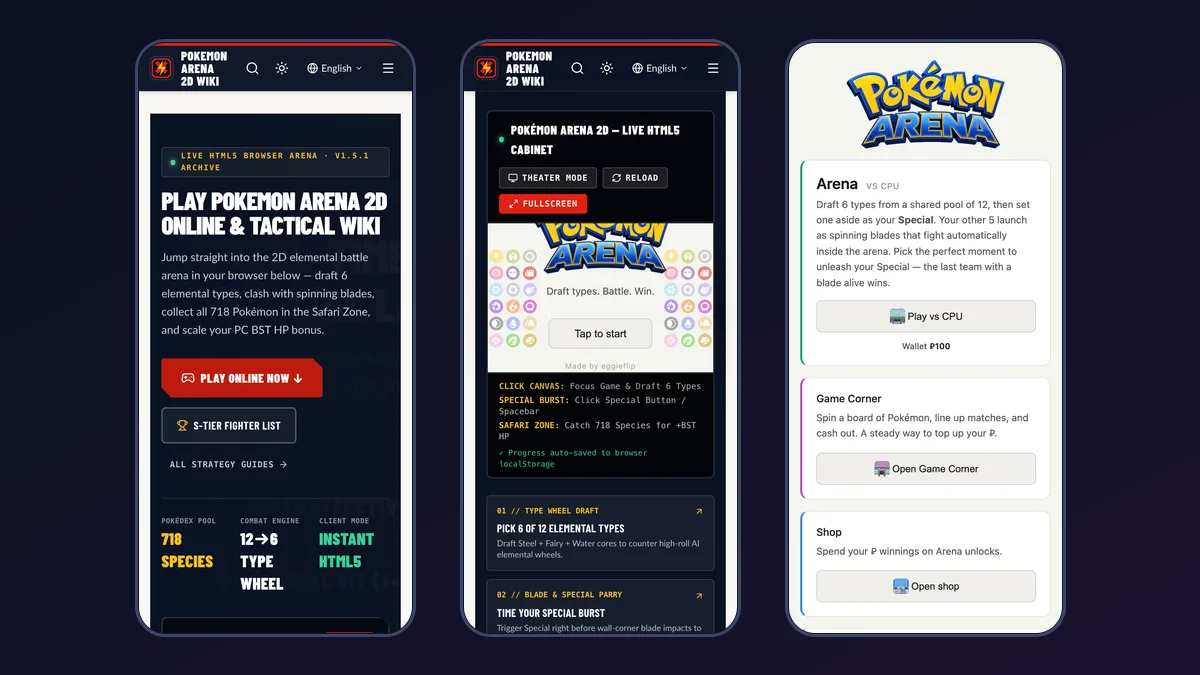
We walked the full flow (new game, starter, draft, bet, Special, battle) in a phone-sized Chrome session with an Android user agent on 21 October 2026. We did not test on a physical iPhone, so treat iOS as “should work, creator says mobile friendly” rather than “verified by us”.
How Do You Start Pokemon Arena 2D on a Phone?
- Open pokemon-arena-2d.online in Chrome on Android or Safari on iPhone and iPad.
- Tap Play Online Now to scroll to the arcade cabinet, then tap Tap to start. The cabinet also has Fullscreen, Theater Mode and Reload buttons.
- A prompt asks “Have a save code? Enter it to load your progress.” Tap New Game on a fresh device, or paste your code and tap Enter Code.
- On Choose your starter, tap a partner. Then tap Play vs CPU on the main menu.
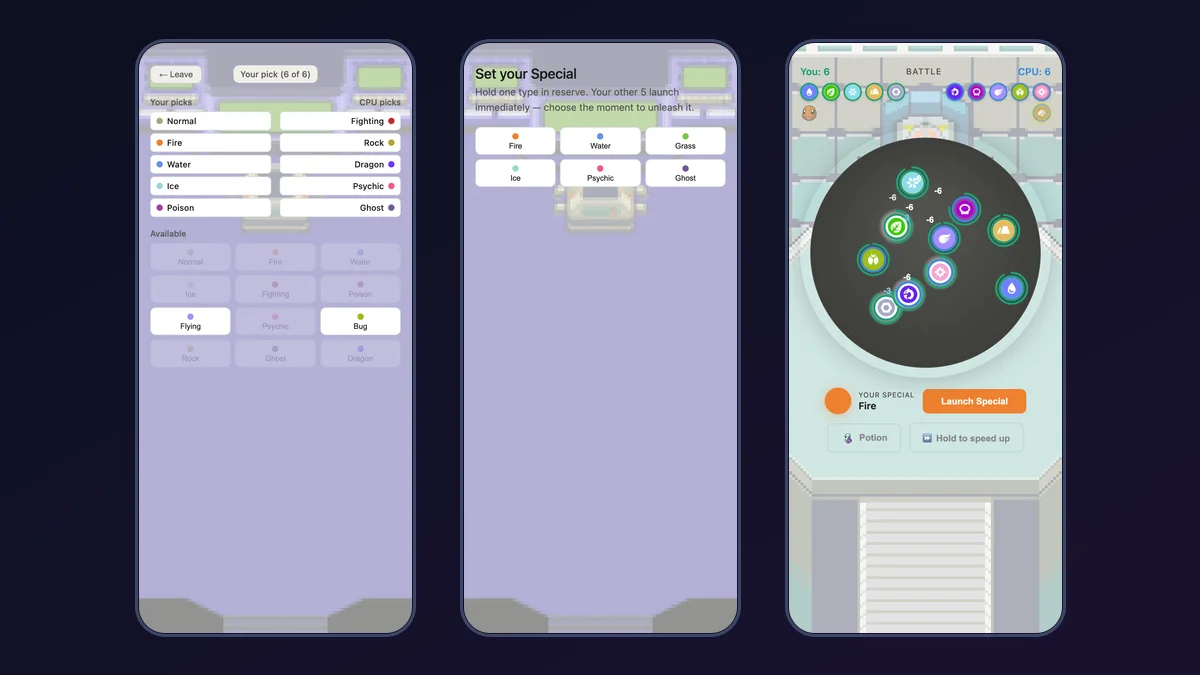
- Tap six types in the draft. You alternate picks with the CPU from a shared pool of 12, and the pool differs from match to match. Our Type Wheel Draft Guide explains which picks cover each other.
- On the Place your bet screen tap Place Bet or Skip — no bet. On Set your Special tap the type you want to hold back.
- Your other five types launch as blades that fight on their own. Tap Launch Special when you want to release the reserve.
New to the format? The Beginner How to Play Guide covers drafting, wagering and Special timing in more depth.
Which Orientation and Touch Controls Work Best?
Everything is a tap target: type buttons, the bet slider and Max button, Skip — no bet, Launch Special, Potion and Hold to speed up. There is no virtual joystick, because the blades fight automatically once launched.
- Use portrait. On a 390 by 844 screen the whole arena plus the Launch Special, Potion and Hold to speed up buttons fit at once.
- Landscape can hide the buttons. In our 844 by 390 test the arena filled the screen and the button row sat at the very bottom edge. If you cannot see Launch Special, rotate the phone upright.
- Skip the keyboard tips. The cabinet mentions Spacebar for the Special burst, which is a desktop shortcut. On a phone, tap the Launch Special button instead.
For the full desktop and keyboard side, see the Controls & Combat Mechanics Guide.
Is There an Official Pokemon Arena 2D APK for Android?
Three different projects share the name, and only one of them ships an Android APK. As of 21 October 2026:
| Edition | Creator | Android | iPhone / iPad | Official source |
|---|---|---|---|---|
| Pokémon Arena (the browser game on this site) | eggieflip | Mobile browser, no APK | Mobile Safari, no app | eggieflip.itch.io/pokemon-arena |
| Empress: Pokémon 2D Arena | Omniscye | Official APK on itch.io | No iOS build listed | omniscye.itch.io/empress-pokemon-2d-arena |
| Pokémon Arena 2D | Big Kid Nation | Not released | Not announced | bigkidnation.com |
Empress: Pokémon 2D Arena is the one with a real Android file. Its itch.io page says “A downloadable game for Windows and Android”, lists Empress-Pokemon-Arena-1.7.8.1-Android.apk (about 258 MB) next to a Windows ZIP, and states that the APK needs a 64-bit ARM phone or tablet on Android 8.0 or newer. On Android it uses landscape touch controls with a Poké Ball joystick, drag-an-attack-button-to-aim, and two-finger pinch zoom. It is a separate real-time fighter with its own saves, so your Pokémon Arena progress does not carry over. Our Download and Versions Guide compares all three in detail.
Can You Play Pokemon Arena 2D on iPhone or iPad?
The browser game should run in Safari, since it is HTML5 and the creator marks it mobile friendly, but we did not verify it on iOS hardware. Beyond that, no edition we checked has an iPhone app: Empress lists Windows and Android only, and Big Kid Nation has announced no platforms. An APK cannot be installed on iOS, so any “Pokemon Arena 2D iOS APK” listing is not what it claims to be.
How Do You Keep Your Save When Switching Between Phone and PC?
Progress auto-saves to the browser on the device you play on, as the cabinet’s own note says, so a different phone, a different browser, or cleared site data starts you from zero. The in-game Cloud Save card fixes that: it is described as a way to back up progress so it survives “closing the app, clearing your browser, or switching phones”, with no account needed. You get a code to keep.
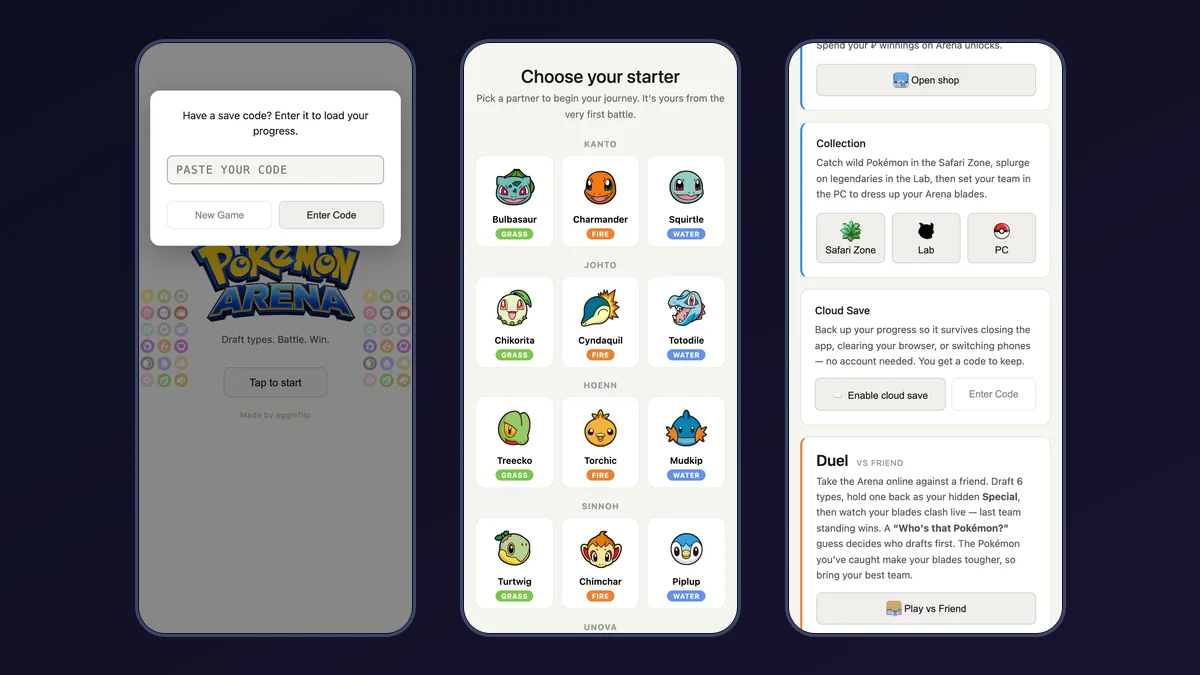
- On the main menu, scroll to the Cloud Save card and tap Enable cloud save.
- Copy the code somewhere safe. The creator warns: “Don’t lose your code!”
- On the other device, open the game, wait for the Have a save code? prompt, paste the code and tap Enter Code.
If you already started a new game on the second device, the Enter Code button on the Cloud Save card is the way back in. How the restore code works is explained in the Codes & Cloud Save Guide.
Why Is Pokemon Arena 2D Not Loading or Losing Progress on My Phone?
- Nothing happens after the logo. Tap Tap to start once. Use the cabinet’s Reload button if the canvas stays blank.
- Opened from inside another app. If you tapped a link in a social or chat app, open the page in Chrome or Safari directly. In-app browsers are a common cause of broken web games, though we have not traced this to a specific app.
- Progress vanished. Private tabs and cleared site data remove local progress. Enable Cloud Save so you can restore with your code.
- Looking for multiplayer. Duel vs Friend is a separate button on the main menu. Rules and room codes are in Multiplayer & Duel Modes.
Want the quickest start? Head back to the arcade cabinet on the homepage and tap Tap to start.
Related Articles
guides
Pokemon Arena 2D Release Date and Beta Status (2026)
Pokemon Arena 2D release date and beta status as of 21 Oct 2026: Big Kid Nation's game is unreleased, Empress is out on Windows and Android, HTML5 plays now.
arenas
Pokemon Arena 2D Multiplayer Guide: 4-Letter Room Codes
How to play Pokemon Arena 2D online multiplayer vs friends: 4-letter Room Codes, deterministic lockstep physics, Duel HP bonuses, and Empress 2D Arena PvP.
arenas
Pokemon Arena 2D Safari Zone and Game Corner Guide (2026)
Complete economy guide for Pokemon Arena 2D: Safari Zone catch weights and anti-dupe pity, Game Corner 5x5 Cascade Slots payouts, and Shop surcharge math.
Was this helpful?
Thanks for the feedback!