
How to Play Pokemon Arena 2D Online: Complete Beginner Guide
Learn how to play Pokemon Arena 2D online in your browser: starter selection, 12-pick-6 type draft, Special reserve timing, wagering, and PC progression.
Frequently Asked Questions
Can I play Pokemon Arena 2D directly in my web browser without downloading?
What happens if my wallet balance hits ₽0 in Pokemon Arena 2D?
How do Pokémon evolve in Pokemon Arena 2D?
How do I back up my progress across devices?
How Does the Core Gameplay Loop Work in Pokemon Arena 2D?
Pokemon Arena 2D blends tactical elemental drafting with real-time 2D physics blade combat and full Gen 1–6 collection progression. Instead of memorizing hundred-turn stall menus, each match revolves around a fast, high-stakes four-phase loop: Draft → Reserve Special → Wager → Real-Time Arena Clash.
You can jump into a match immediately using the embedded arcade cabinet on the Pokemon Arena 2D Online Homepage or follow the step-by-step breakdown below to build a self-sustaining ₽ bankroll from your very first battle.
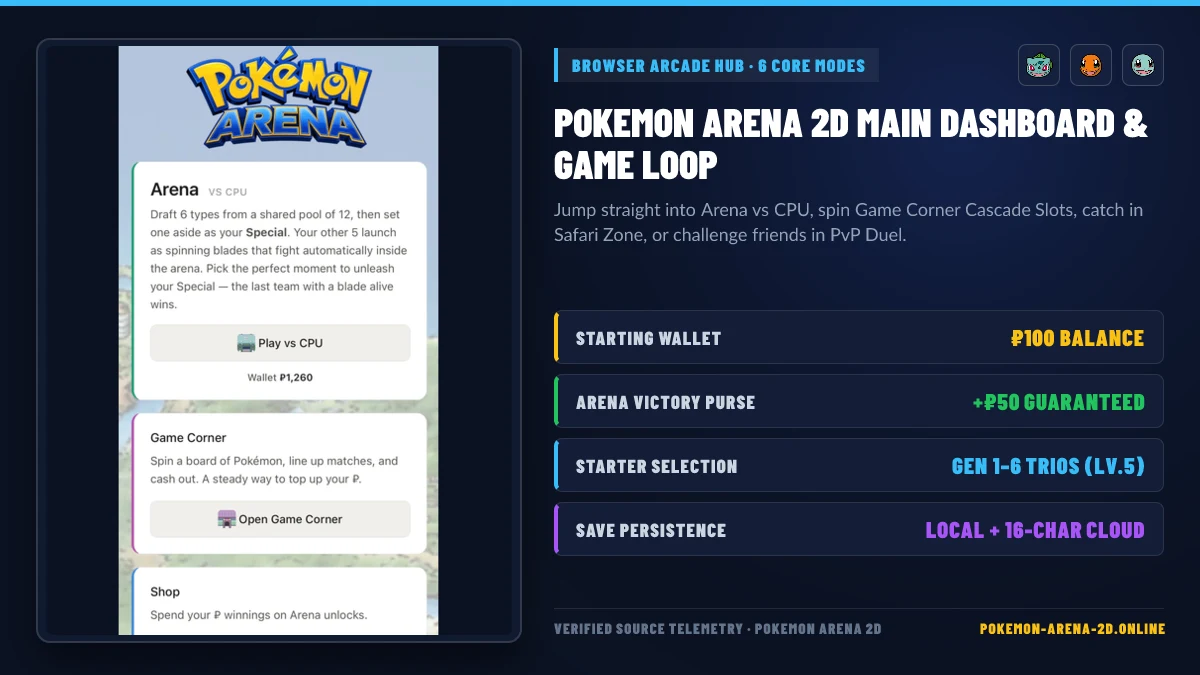
| Game Mode | Entry Cost | Core Reward | Primary Strategic Purpose |
|---|---|---|---|
| Arena (vs CPU) | Free (₽25 min optional bet) |
+₽50 flat win purse + wager payout + +1 Lv per KO |
Primary progression, leveling equipped Pokémon, and high-multiplier underdog payouts |
| Game Corner | ₽15 per Spin (3 Swaps) |
₽1–₽8 per 3-match + cascade combos + ₽400 Jackpot |
Safe bankroll recovery when your wallet dips below ₽100 |
| Safari Zone | ₽500 Safari Pass |
1 guaranteed wild base-form Pokémon (or free Potion on dupe) | Expanding your 18-type blade roster across ~312 catchable base chains |
| The Lab | ₽4,000 – ₽19,000 |
51 Legendary & Mythical Pokémon (Gen 1–6) | Endgame +6 to +8 HP blade durability upgrades |
| Duel (vs Friend) | Free (4-letter Room Code) |
+₽50 Winner / +₽25 Draw / +₽10 Consolation |
Live lockstep PvP battles using your custom PC blade collection |
Step 1: Which Starter Should You Pick on a New Game?
When you launch Pokemon Arena 2D on a fresh profile, the game prompts you to choose one starter Pokémon from any of the first six regions (Kanto, Johto, Hoenn, Sinnoh, Unova, or Kalos). Every starter begins at Level 5 (START_LEVEL = 5) and is automatically assigned to its primary elemental slot (Grass, Fire, or Water) in your PC.
- Why Your Starter Matters Immediately: An unassigned elemental blade enters the Arena with 70 Base HP (
BLADE_HP = 70). Assigning any starter immediately grants a +2 HP durability bonus (72 HPtotal), and evolving it to its final stage (such as Charizard, Venusaur, Blastoise, Swampert, or Greninja at 525–535 BST) boosts that type’s blade to 75 HP (+5 HP). - Best Starter Type for Consistency: Water (Squirtle, Totodile, Mudkip, Piplup, Oshawott, Froakie) and Fire (Charmander, Cyndaquil, Torchic, Chimchar, Tepig, Fennekin) sit near the top of the speed grid (
TYPESindex 1 and 2) and enjoy strong offensive matchups against Steel, Ground, Grass, and Rock blades.
Check our full PC BST HP Bonus & Evolution Guide to see how every evolution stage increases your blade HP.
Step 2: How Do You Win the 12-Pick-6 Type Draft?
Every Arena match begins with two pre-combat phases that determine 70% of the outcome before a single blade launches:
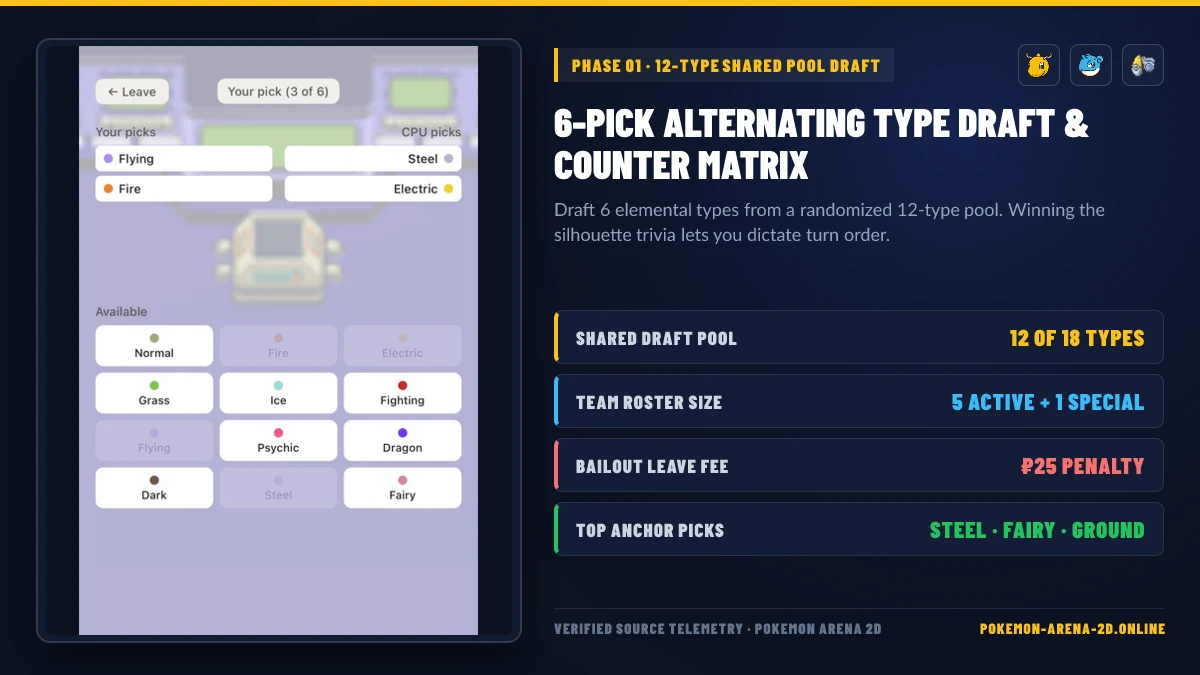
- “Who’s That Pokémon?” Silhouette Round: You and your opponent race to identify a Pokémon silhouette against three same-type decoys. Answering correctly first lets you choose whether to draft first or second.
- 12-Type Shared Draft Pool: The game deals 12 random elemental types out of the 18 total Pokémon types. You and the CPU alternate picks until both sides hold 6 types.
Beginner Drafting Rules That Win More Matches
- Never Bail Out Unless Forced: Clicking
← Leaveduring a draft charges a₽25Leave Fee (LEAVE_FEE = 25). Even a tough draft gives you underdog betting odds and a chance to snipe wins with your Special. - Draft Immunities Early: Types with
0×damage immunities—Ghost (immune to Normal & Fighting), Ground (immune to Electric), Steel (immune to Poison), Fairy (immune to Dragon), Dark (immune to Psychic), and Flying (immune to Ground)—take 0 damage when colliding with those types. - Prioritize Your Equipped PC Types: Blades wearing an evolved Pokémon from your PC have more HP (
73–78 HPvs70 HP) and earn +1 Level per KO (addLevels). Check our 18-Type Fighter Tier List and Type Wheel Draft Guide for exact pick orders.
Step 3: How Do Matchup Odds, Betting, and the Special Reserve Work?
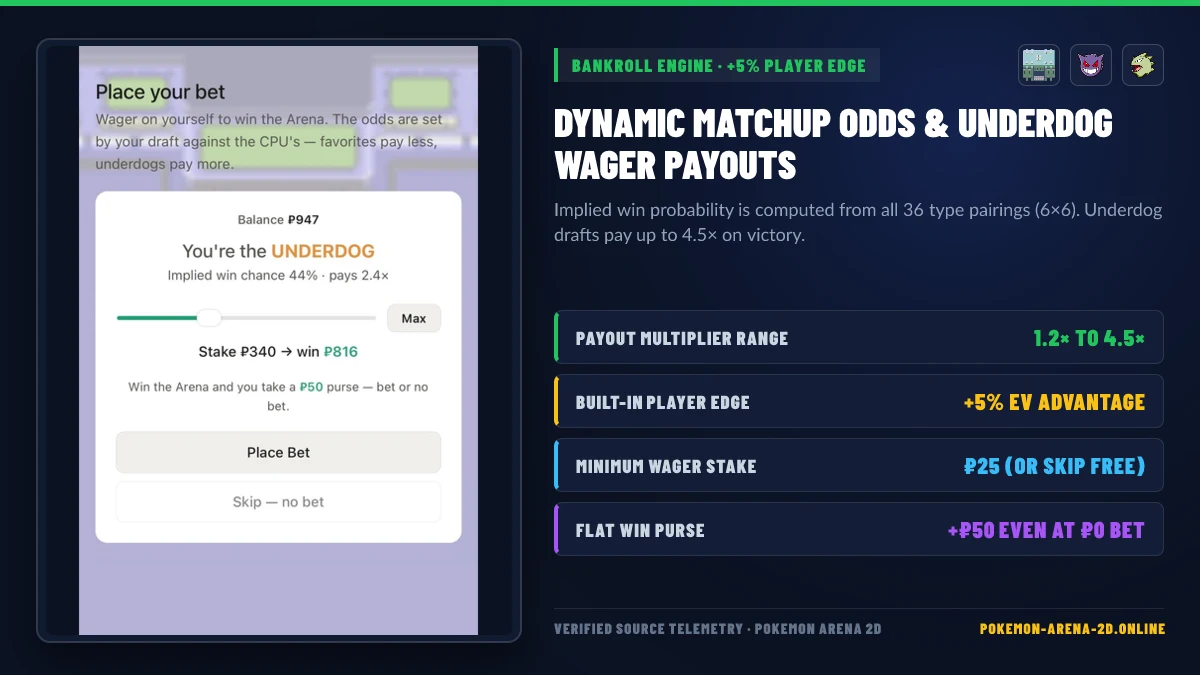
After both teams lock in 6 types, you enter the Set Your Special screen followed by the Place Your Bet card:
- Holding Your Special (5 Active + 1 Reserve): You choose 1 of your 6 types to hold on the bench as your Special. Your other 5 blades launch into the circular arena immediately at the opening bell.
- Using a Scouting Visor (
₽120): If you bought a Scouting Visor in the Shop, you can activate it on the Special selection screen to reveal which of its 6 types the CPU is holding as its hidden Special, allowing you to hold the direct2×counter. - Understanding Wager Odds (
+5% Player Edge): The game evaluates all 36 type pairings (6 × 6) between your draft and the CPU’s draft to compute an implied win chance (15%to85%) and a payout multiplier (1.2×to4.5×). Because the formula includes a built-in+5%Player Edge (PLAYER_EDGE = 0.05), wagering has positive expected value over time! - Guaranteed
₽50Win Purse: Winning an Arena vs CPU match always pays a flat+₽50Win Purse (WIN_PURSE = 50), even if you click Skip — no bet.
Step 4: How to Control the Arena & Spend Your First ₽1,000
Once the battle starts, your 5 active blades ricochet inside the circular stadium automatically:
- Super Effective (
2×) Collisions: Deal 10 damage (badge-super). - Neutral (
1×) Collisions: Deal 6 damage (badge-normal). - Not Very Effective (
0.5×) Collisions: Deal 3 damage (badge-weak). - Immune (
0×) Collisions: Deal 0 damage (badge-immune).
Optimal Early-Game ₽ Spending Roadmap
- Keep a
₽100Bankroll Cushion: Start by playing 2–3 Arena matches with small (₽25–₽50) bets or spin the Game Corner & Safari Zone for₽15per round to build your wallet safely above₽600. - Buy 1 Potion (
₽100) for Clutch Saves: Having a single Potion in your inventory unlocks the mid-battle Potion (+35 HP) button, which instantly heals your most wounded blade during a close endgame. (Avoid hoarding multiple Potions early, as each extra copy in your bag increases the next copy’s shop price by+50%!) - Spend Every Extra
₽500on Safari Passes: Unlike battle consumables, Safari Passes (₽500) have 0% price inflation (priceStep: 0). Every pass catches a wild Pokémon (or awards a free Potion on a duplicate), filling out all 18 elemental slots in your PC. - Enable Your 16-Character Cloud Save Code: Visit our Active Codes, Cloud Save & Rewards Guide and Controls & Combat Mechanics Guide to lock in your permanent backup code and master Special launch timing.
Related Articles
arenas
Pokemon Arena 2D Multiplayer & Duel Mode: Play vs Friends Online
How to play Pokemon Arena 2D online multiplayer vs friends: 4-letter Room Codes, deterministic lockstep physics, Duel HP bonuses, and Empress 2D Arena PvP.
arenas
Pokemon Arena 2D Safari Zone, Game Corner & Shop Economy Guide
Complete economy guide for Pokemon Arena 2D: Safari Zone catch weights and anti-dupe pity, Game Corner 5x5 Cascade Slots payouts, and Shop surcharge math.
codes
Pokemon Arena 2D Codes, Cloud Save Restore & Free ₽ Rewards (2026)
Verified guide to Pokemon Arena 2D codes (2026): how the 16-character Cloud Save Restore Code works, 4-letter PvP Room Codes, and all free ₽ farming methods.
Was this helpful?
Thanks for the feedback!